Wasabi Wallet Setup Guide: How to Get Started Safely
Wasabi Wallet is one of the best crypto wallets for protecting your financial privacy. The Wasabi Wallet interface is designed so that even a beginner can easily understand it. The golden rule when working with Wasabi Wallet: always make backups and pay close attention to your labels.
Below is a step-by-step guide that will take you from the first launch of the program to receiving and anonymizing your first Bitcoin transfer.
1
Creating a New Wallet
After you have downloaded the program and installed it on your computer, you need to create a local database for your keys.
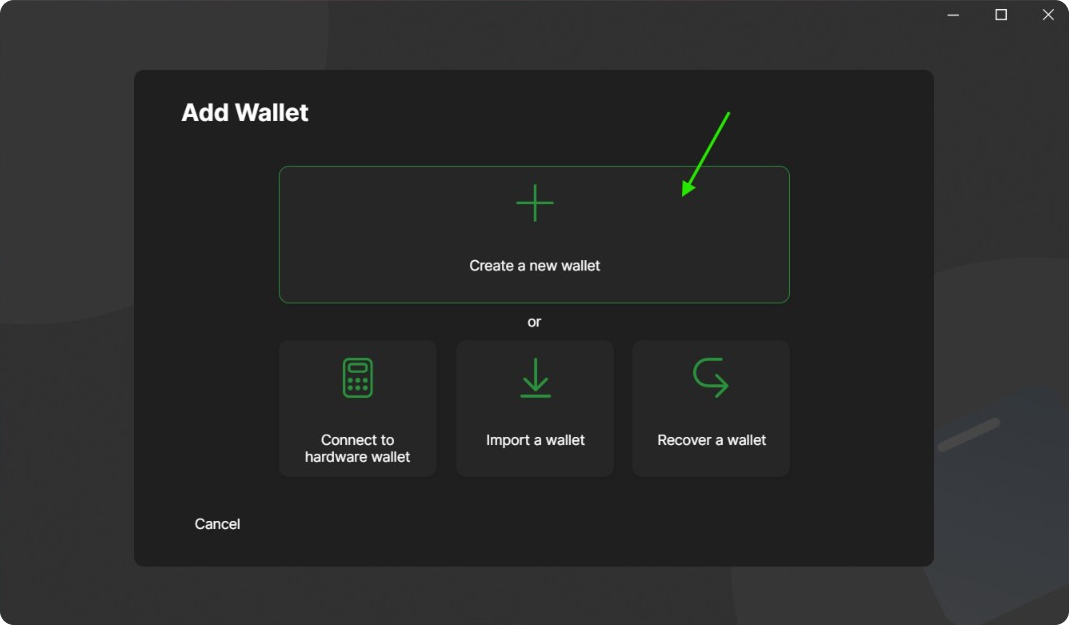
- Launch Wasabi Wallet. On the start screen, in the left sidebar menu, click the Add Wallet button.
- In the menu that appears, select Create a new wallet.
- Invent and enter a name for your wallet. It will be used only locally on your PC for convenience.
2
Backup (Seed Phrase)
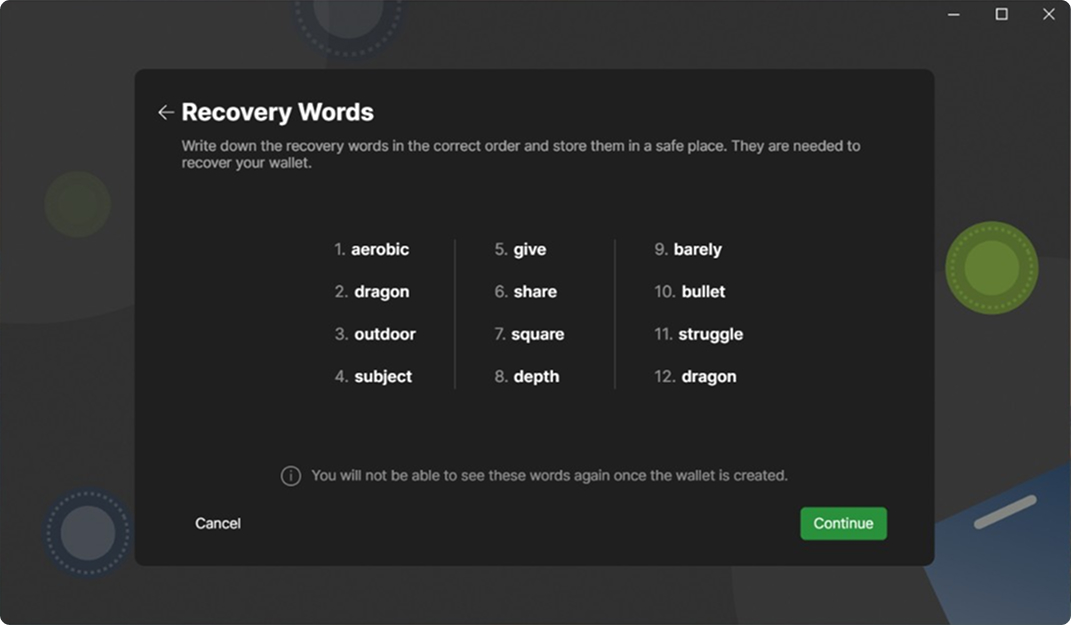
This is the most important setup stage. Wasabi Wallet will generate a unique master password for you – Recovery Words (12 words).
- The program will show you a list of 12 English words.
- Securely store your seed phrase: it is the only way to recover access to your wallet.
Pro tip: For maximum security, you can use Wasabi with a hardware wallet.
3
How to Receive Bitcoin
Wasabi Wallet requires you to have a conscious approach to incoming transfers. You cannot simply generate an address without specifying who you expect the money from. This is done to protect against address reuse and data leaks.
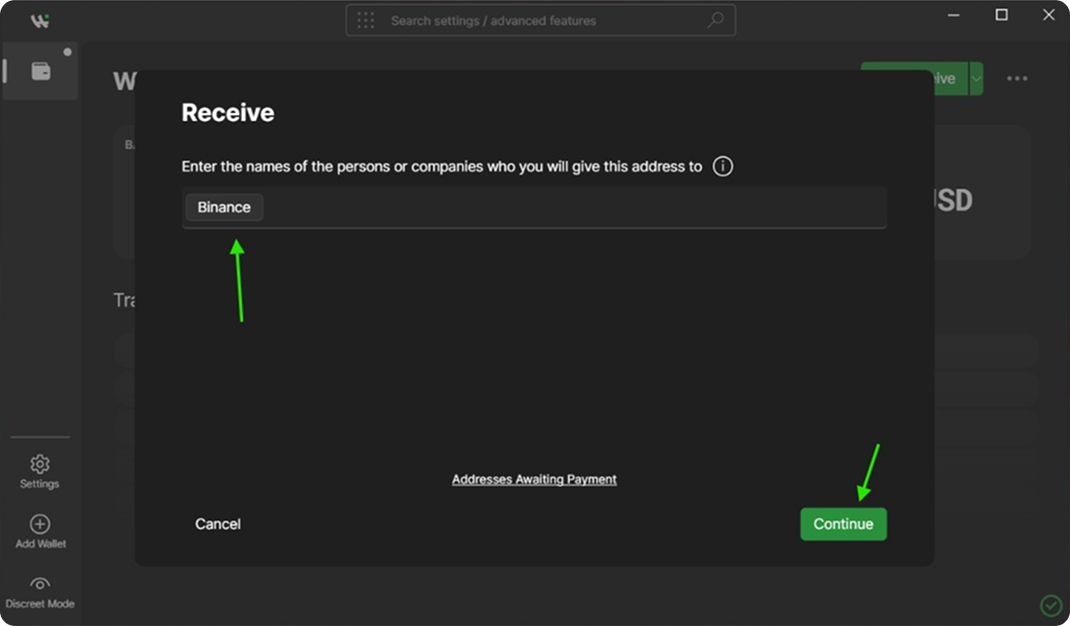
- Go to the Receive tab in the top right corner.
- In the Labels field, you must enter the name of the person, service, or exchange from which you are receiving funds (for example, “Binance”, “Salary”, or “John”).
- Click the Continue button, and Wasabi Wallet will generate a unique Bitcoin address and QR code for you. Copy it and send it to the sender.
4
Automatic CoinJoin (Mixing)
As soon as your deposit arrives in the wallet and receives confirmations on the network, Wasabi Wallet will automatically begin protecting your privacy (if this option has not been disabled in the settings).
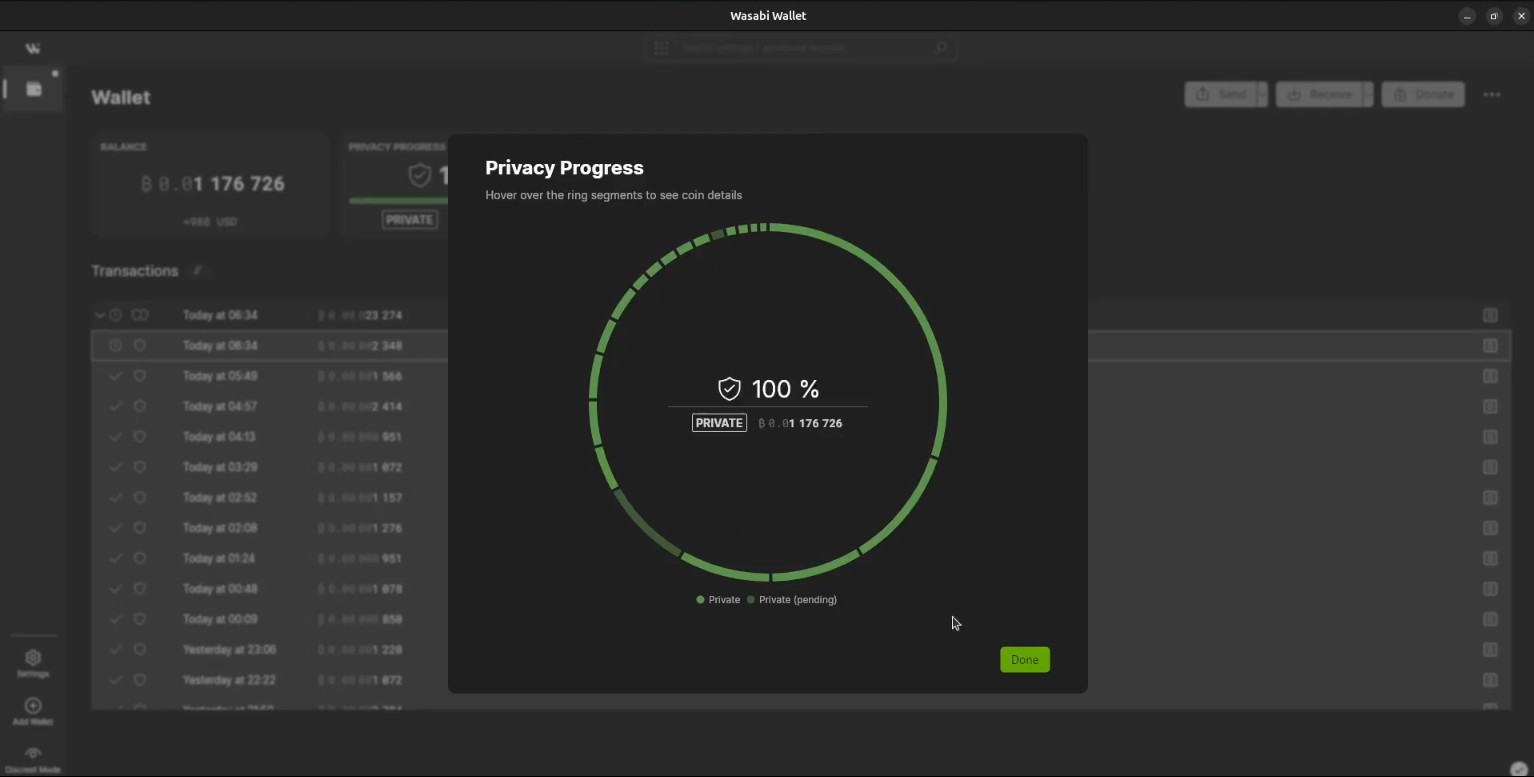
- On the main screen, you will see your balance status and the Privacy Progress section.
- The wallet itself will start splitting your coins and mixing them with other users’ coins in the background (CoinJoin).
- When the process is complete, the shield icon will turn 100% green. This means that your Bitcoins are now completely anonymous and their history on the blockchain is erased.
5
Sending Funds (Send) & Coin Control
When your coins are mixed, you can safely spend them. Wasabi gives you full control over exactly which coins you use (Coin Control feature).
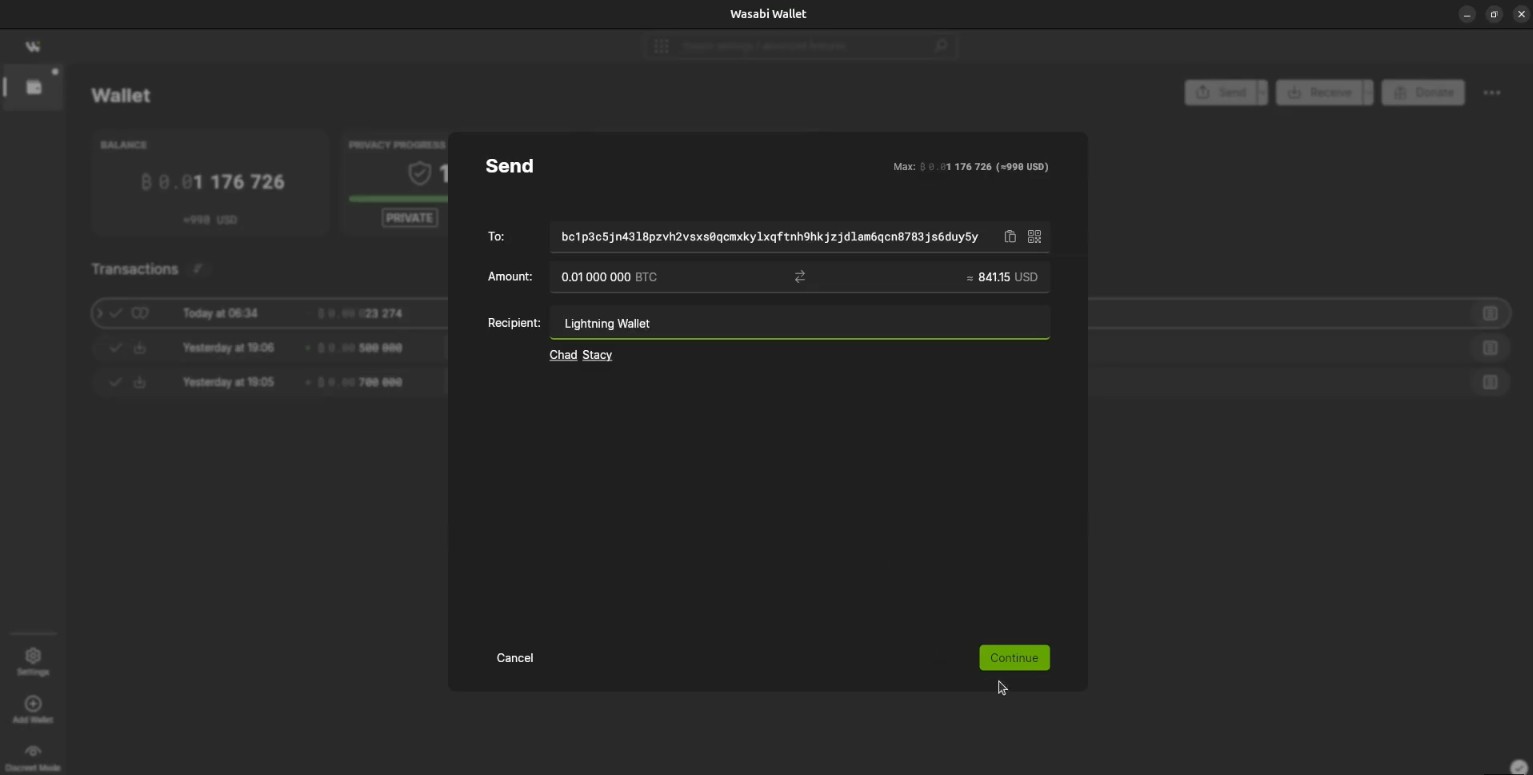
- Click the Send button in the top menu.
- Insert the recipient’s Bitcoin address and specify the transfer amount.
- Enter Labels for this payment – indicate who you are sending the money to (for example, “Hosting payment”).
- The program will automatically select the most private (mixed) coins for sending. If you wish, you can click on the transaction details and manually select specific UTXOs (coins) to spend.