
Coldcard Configuration: Air-Gapped Setup
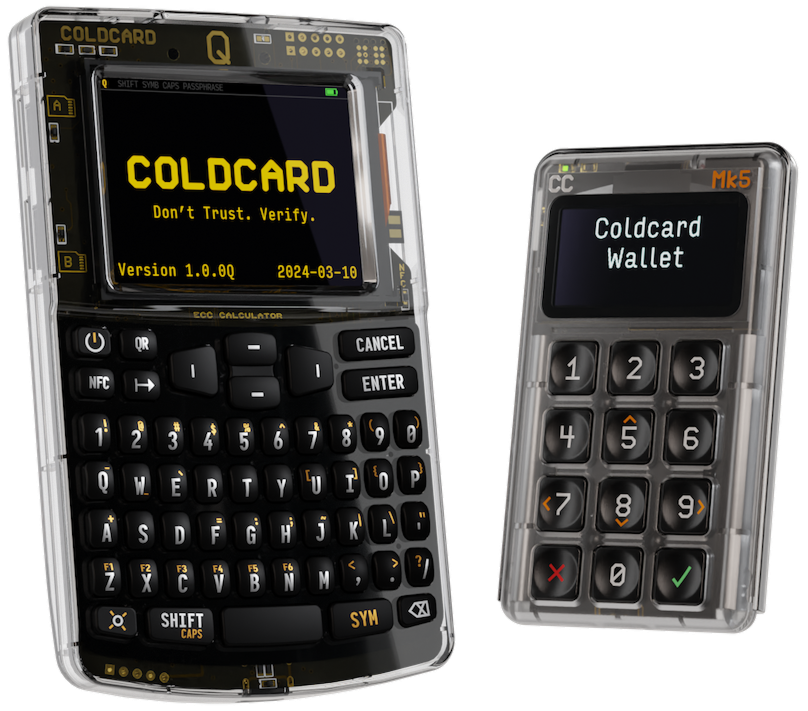
Coldcard is considered the best cold wallet in the world. Using Coldcard’s fully open-source hardware base together with Wasabi Wallet, you get maximum physical protection and absolute transaction anonymity.
Unlike most hardware wallets, Coldcard allows you to operate completely offline (Air-Gapped) – the device does not need to be connected to a computer with a cable at all. This 100% eliminates the risk of remote attacks, malware data interception, or hidden leaks through the USB port.
When using Coldcard with Wasabi Wallet, your privacy is also protected at the software level. Wasabi Wallet checks balances locally using encrypted block filters and routes all traffic through the Tor network, hiding your public keys (xpubs) and real IP address.
Why Use an Air-Gapped Setup with Wasabi Wallet?
Managing Bitcoin offline (via PSBT deferred transaction signature technology) takes your security to a completely new level:
Full Isolation
(Air-Gapped)
Your private keys never touch an internet-connected device. Wallet data is transferred exclusively via a MicroSD card, and the cold wallet itself remains completely isolated.
Secure PSBT
Signing
Wasabi Wallet creates a transaction file (PSBT) on your computer. You transfer it to Coldcard via MicroSD. The wallet signs the transaction offline, after which you return the signed file to the PC to broadcast it to the network via Tor.
Anonymity with
CoinJoin
You can safely manage CoinJoin mixing rounds right from your cold wallet. Coldcard securely coordinates signatures, allowing you to clean your Bitcoin history on the blockchain.
Step-by-Step Guide: Connecting via MicroSD
For this setup, you will need a MicroSD card (preferably a small capacity). The process consists of two simple stages.
Step 1: Export the Wallet File from Coldcard
1
Insert a formatted MicroSD card into your unlocked Coldcard.
2
In the Coldcard wallet menu, go to Advanced/Tools – Export Wallet – Wasabi Wallet.
3
Coldcard will save a basic .json skeleton file to the flash drive (it contains only your public keys, no private data). Remove the card from the Coldcard.
Step 2: Import into the Wasabi Wallet Interface
1
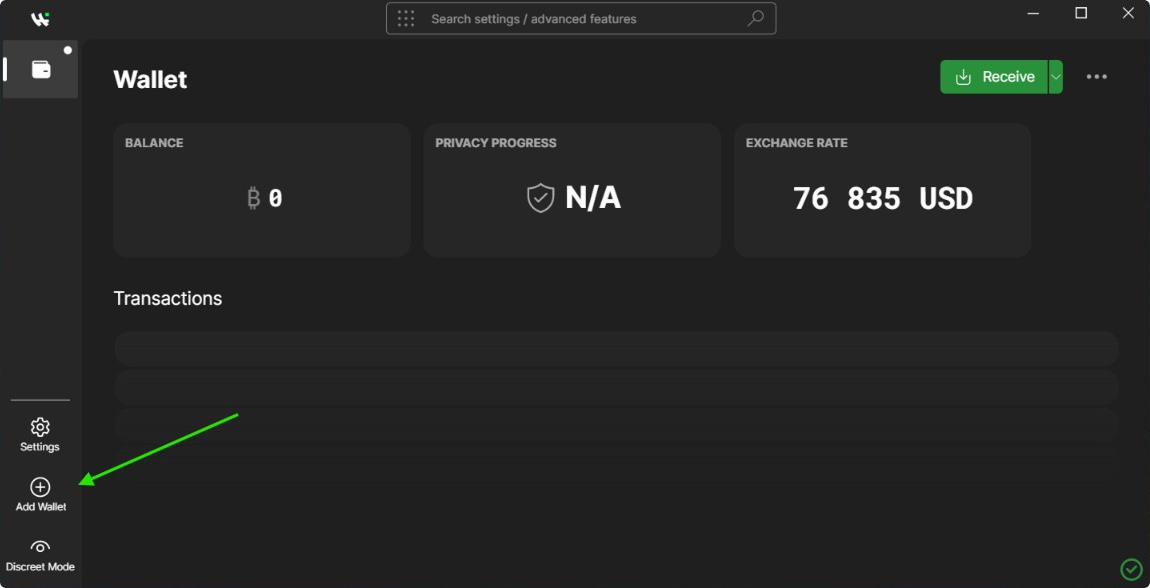
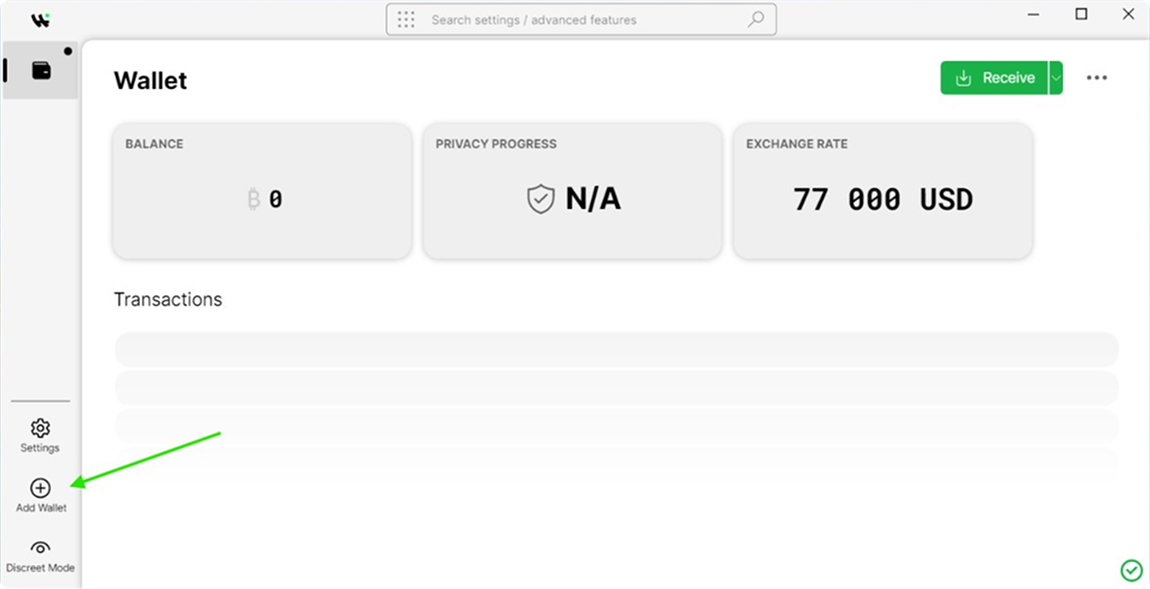
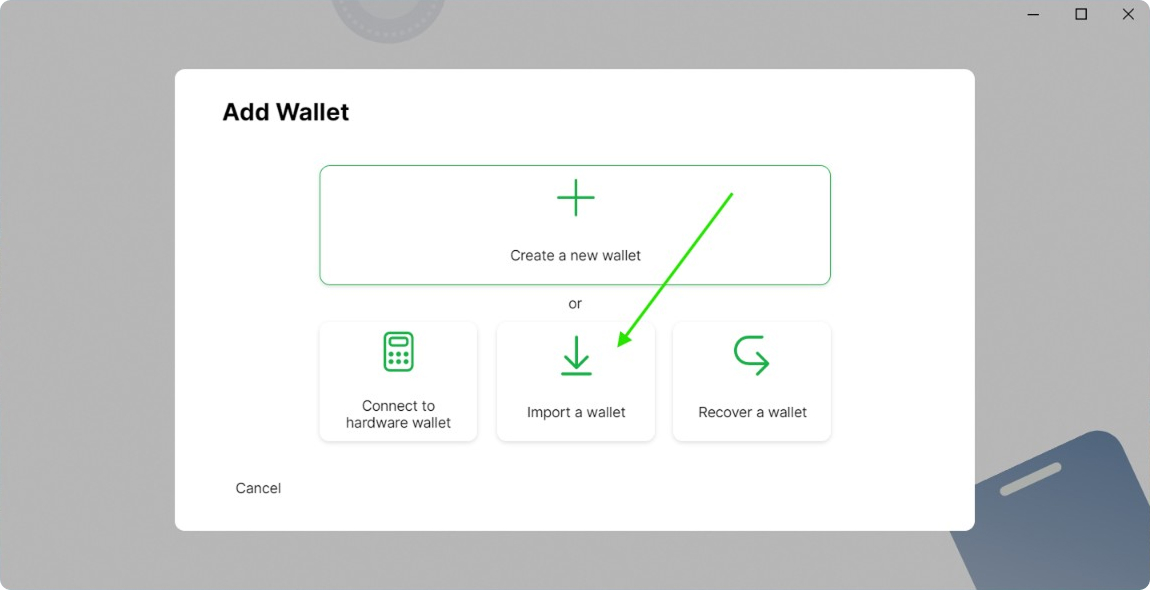
Insert the MicroSD card into your computer and launch Wasabi Wallet. In the main menu, click the Add Wallet button.
2
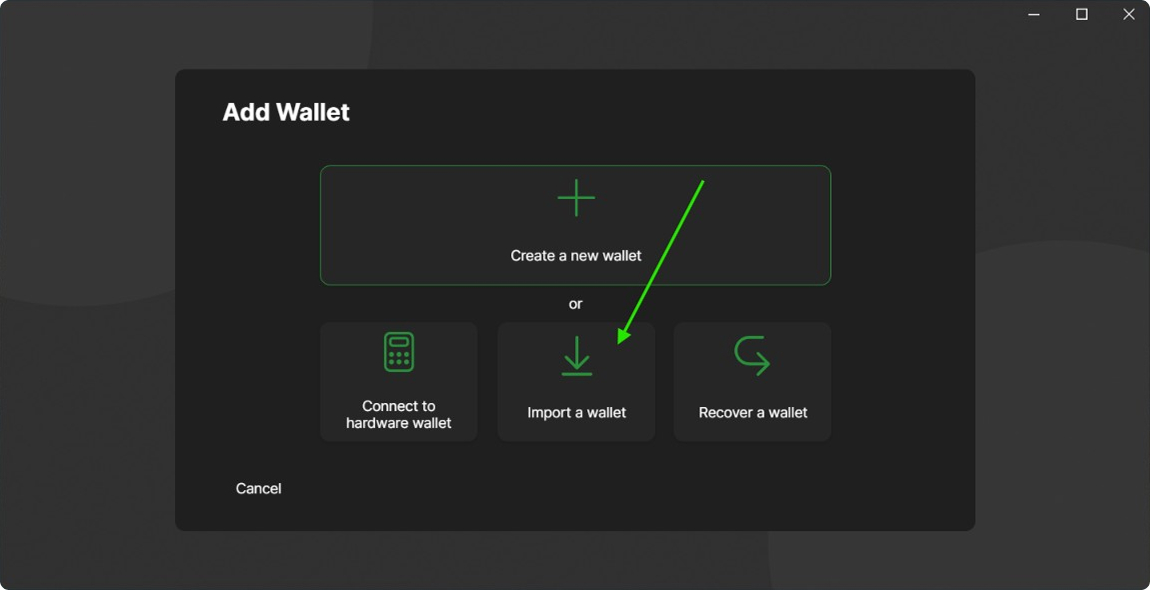
Instead of connecting via USB, select the Import a wallet option.
3
Wasabi Wallet will automatically start searching via the open HWI interface. Once the wallet detects your Coldcard, set a name for the wallet and click Finish.
After these steps, Wasabi Wallet will download your transaction history via Tor. You can safely send, receive, and do CoinJoin for your bitcoins.